
Discover Exciting New Features on Instagram: Game-Changing Updates
Instagram continues to evolve, bringing fresh ways to connect, share, and explore in 2025. With the latest update announced by META on August 6, Instagram introduced exciting features like reposting, a location-sharing map, and a dedicated Friends tab for Reels. These new Instagram features in 2025 are designed to make your social media experience more interactive and personalized. Whether you’re a creator looking to expand your reach or a user wanting to stay connected with friends, these updates offer something for everyone. In this blog post, we’ll dive into what these features mean, how to use them safely, and why they’re creating buzz across the platform. Let’s explore how Instagram’s latest tools can enhance your social media game!
Instagram’s Reposting Feature: Share Content Like Never Before
One of the most anticipated additions is Instagram’s reposting feature, a functionality that mirrors the reposting mechanism on platforms like X. Now, users can share public feed posts and Reels directly to their followers’ feeds, making it easier to spread content you love. Reposts appear on a dedicated tab on your profile, clearly credited to the original creator, ensuring they get the recognition they deserve.
This feature is a game-changer for creators and influencers. By allowing followers to share their content, creators can reach new audiences organically. META emphasizes that reposting “gives creators an opportunity to reach even more people.” Whether it’s a stunning travel Reel or an inspiring quote post, reposting lets you amplify content while keeping the original creator in the spotlight.
To use this feature, simply find a public post or Reel you want to share, tap the repost button, and it will appear in your followers’ feeds and your profile’s repost tab. It’s a seamless way to engage with content and spark conversations with your audience.
Instagram Map: Connect Through Location Sharing
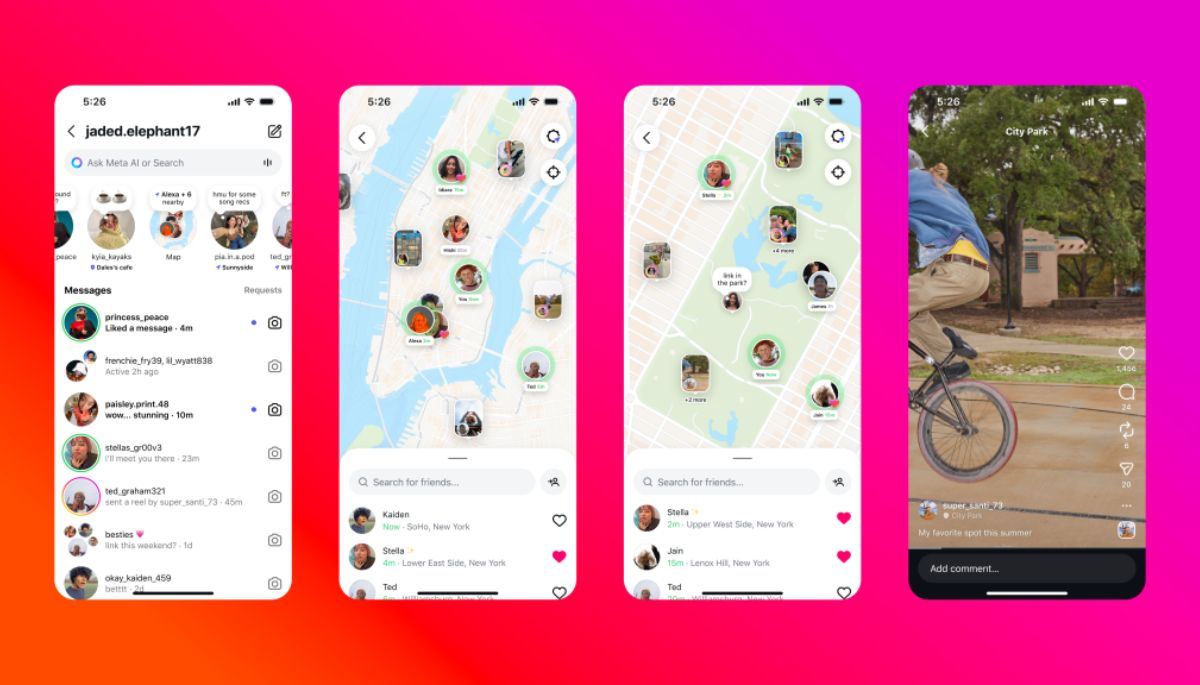
Another exciting addition is the Instagram Map, rolled out to U.S. users on August 6, 2025. This feature allows you to share your last active location with selected accounts, offering a new way to connect with friends and explore location-based content. Want to let your close friends know you’re at a concert or share a favorite restaurant spot? The Instagram Map makes it possible.
The map is opt-in, meaning location sharing is off by default, and you can turn it off anytime. You can choose who sees your location—either accounts you follow back or a custom list—ensuring privacy and control. For parents, Instagram’s supervision tools provide oversight, notifying you if your teen enables location sharing and allowing you to manage their settings.
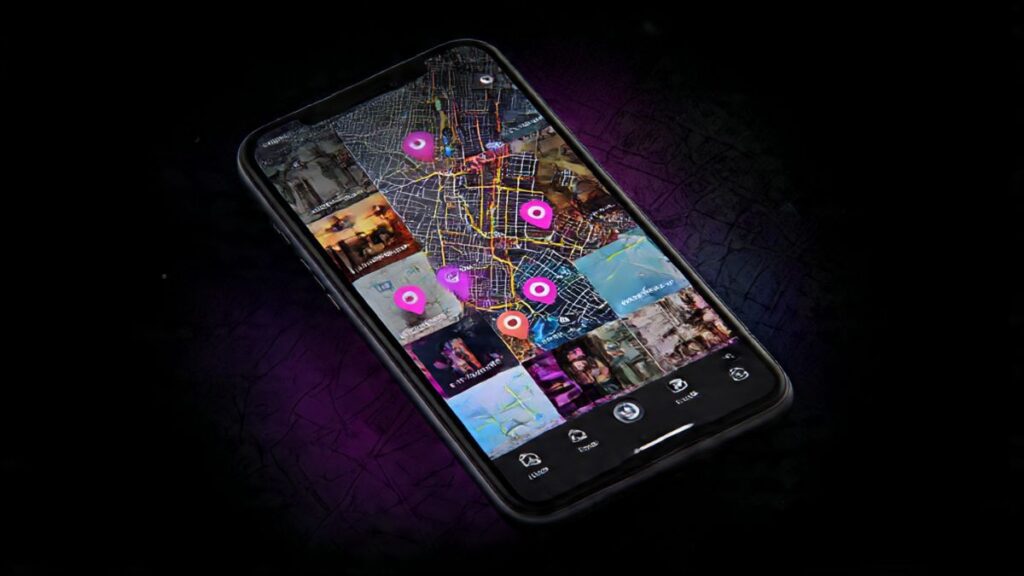
The Instagram Map also enhances content discovery. You can explore venues tagged in Reels, such as trending coffee shops or music festivals, making it a fun way to plan outings or find inspiration. However, some users have raised concerns about safety, particularly regarding real-time location sharing. Critics argue that it could pose risks if not managed carefully, with some calling it a potential tool for stalkers.
Addressing Safety Concerns with Instagram Map
The introduction of the Instagram Map has sparked debate, with some users expressing unease about its safety implications. Comments on Instagram head Adam Mosseri’s clarification post reveal mixed feelings, with users describing the feature as “unsafe” or a “huge security risk.” One user noted, “My location was automatically shared to all my followers before the feature was even rolled out,” highlighting initial glitches that alarmed users.
META has responded by emphasizing that location sharing is entirely optional. “Your live location is never shared unless you choose to turn it on,” a META spokesperson clarified. Mosseri reiterated that location sharing is off by default and, if enabled, is limited to a select group of followers or a custom list.
To ensure your safety, here’s how to check and disable location sharing:
- Open your DM inbox and tap “Map” in the Notes area.
- Access the map view and select the Settings icon in the top right corner.
- Under “Who can see your location,” choose “No one.”
- Tap “Done” to save your settings.
For parents, Instagram’s supervision controls allow you to monitor and restrict your teen’s location-sharing settings, ensuring peace of mind.
The Friends Tab in Instagram Reels: A Social Hub for Content
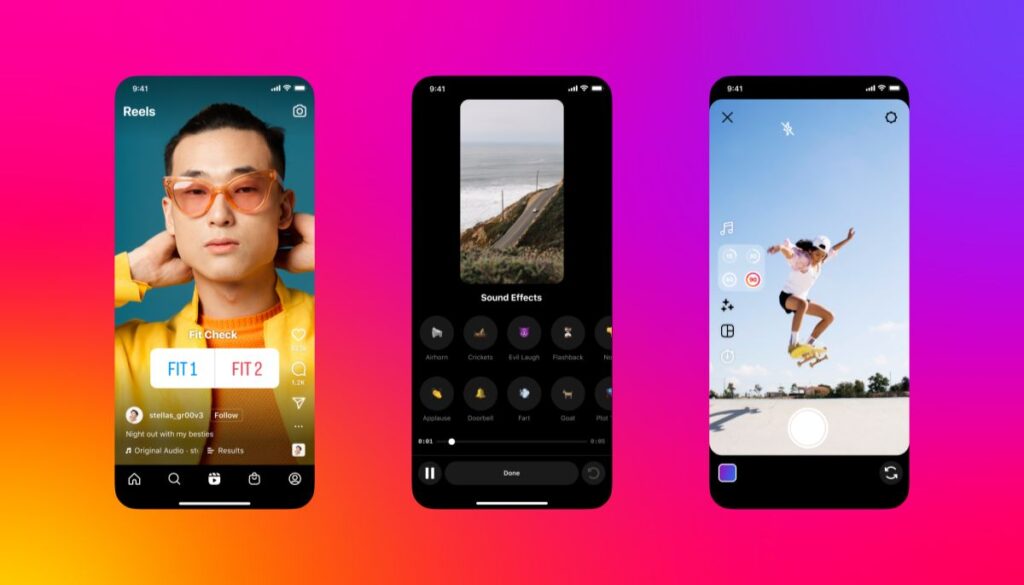
Instagram Reels just got more social with the new Friends tab. This feature lets you see public content your friends have liked, commented on, or reposted, as well as recommendations from Blends you’ve started. It’s a fantastic way to discover trending Reels and spark conversations about shared interests.
For example, if your friend comments on a viral dance Reel, you might see it in your Friends tab, prompting you to join the discussion. You can also hide your likes and comments to keep your activity private or mute activity bubbles from specific users for a tailored experience.
This feature makes Reels more interactive, turning it into a hub for connecting with friends over shared content. Whether you’re laughing at a meme or inspired by a fitness Reel, the Friends tab keeps you in the loop.
Why These Features Matter in 2025

Instagram’s 2025 updates reflect its commitment to fostering connection and creativity. The reposting feature empowers creators to expand their reach, while the Instagram Map offers a new way to share experiences and discover local hotspots. The Friends tab in Reels enhances social engagement, making it easier to bond over content that resonates.
These updates build on Instagram’s recent efforts to improve user experience, such as the July 2025 safety guardrails for teen messaging and the June grid reorganization feature. By prioritizing user control, safety, and interactivity, Instagram continues to adapt to its diverse audience’s needs.
How to Make the Most of Instagram’s New Features
To fully embrace Instagram’s new features, here are some tips:
- Reposting: Share content that aligns with your brand or interests to engage your followers. If you’re a creator, encourage your audience to repost your content to boost visibility.
- Instagram Map: Use the map to share fun moments with close friends, but double-check your settings to ensure only trusted accounts see your location.
- Friends Tab: Explore the Friends tab in Reels to discover trending content and start conversations. Customize your privacy settings to control what others see.
By leveraging these tools, you can enhance your Instagram experience while staying safe and connected.
Exciting New Features on Instagram: A Quick Overview

| Feature | What It Does | Why It’s Awesome | How to Stay in Control |
|---|---|---|---|
| Reposting | Share public posts/Reels to your followers’ feeds with credit to the creator | Boosts creator visibility, encourages content sharing | Reposts appear in a profile tab, credited to the original creator |
| Instagram Map | Share your last active location; explore location-based content | Connects friends, inspires local discoveries | Opt-in, off by default; choose who sees your location; parental supervision |
| Reels Friends Tab | View friends’ interactions with public content or Blends recommendations | Sparks conversations, enhances content discovery | Hide likes/comments, mute specific users’ activity |
Comparative Overview: Exciting New Features on Instagram 2025 vs Other Social Media Platforms
| Category | Exciting New Features on Instagram 2025 | Exciting New Features on Instagram: Key Takeaway | Exciting New Features on Instagram Key Takeaway |
|---|---|---|---|
| Content Sharing | Exciting New Features on Instagram introduce a powerful reposting option, allowing users to share public posts and Reels directly to their followers’ feeds with full creator credit. | X (formerly Twitter) offers retweets, and Facebook has share options, but neither gives dedicated profile tabs for reposts. | Instagram’s repost feature merges content amplification with creator recognition, boosting engagement organically. |
| Location Sharing | Exciting New Features on Instagram include an opt-in Map tool for sharing last active locations safely with select friends. | Snapchat’s Snap Map shows friends’ locations live, while Facebook Check-In focuses on static places. | Instagram combines privacy-first design with discovery, making local connections safer and more engaging. |
| Friends Interaction Tab | Exciting New Features on Instagram add a Reels Friends Tab, showing friends’ liked, commented, or reposted Reels. | TikTok’s Friends Feed displays videos from friends and mutual followers but lacks in-depth privacy filters. | Instagram enhances social bonding through interactive discovery, while TikTok prioritizes algorithmic trends. |
| Privacy Controls | Exciting New Features on Instagram put privacy first—location sharing off by default, customizable visibility, and parental supervision. | Facebook offers detailed privacy layers, but settings can be complex; Snapchat relies on ghost mode. | Instagram simplifies control with clear, intuitive toggles, balancing connection and security. |
| Creator Visibility | Exciting New Features on Instagram enable reposting with attribution, boosting creator reach through community-driven sharing. | YouTube Shorts relies on algorithmic pushes, not user reposting; TikTok lacks direct repost visibility tabs. | Instagram’s creator ecosystem benefits from organic reach without sacrificing content ownership. |
| Engagement Features | Exciting New Features on Instagram elevate user engagement with the Friends Tab, encouraging reactions, comments, and shared Reels discussions. | X Circles and Facebook Groups build niche communities but don’t tie directly into short-form content engagement. | Instagram integrates social discovery with visual entertainment, redefining meaningful digital interaction. |
| AI & Discovery Integration | Exciting New Features on Instagram enhance content recommendations using AI within Reels and Maps to show trending places and creators. | TikTok uses AI-driven “For You” feeds; YouTube recommends based on watch history. | Instagram merges personalized recommendations with social signals, making discovery both smart and social. |
| Teen Safety Features | Exciting New Features on Instagram expand parental supervision tools, ensuring guardians can oversee teens’ map and sharing settings. | TikTok Family Pairing and YouTube Kids offer parental controls but separate young users from the main platform. | Instagram maintains inclusivity while strengthening protection, making it safer for young audiences. |
| Community Building | Exciting New Features on Instagram create new ways for communities to connect—through shared maps, Reels collaborations, and repost interactions. | Reddit Communities and Discord Servers offer topic-based groups but lack visual sharing appeal. | Instagram bridges visual storytelling with community belonging in one cohesive app. |
| Monetization Potential | Exciting New Features on Instagram indirectly help creators grow audiences and partnerships via increased visibility from reposts and Reels shares. | TikTok Pulse and YouTube Partner Program focus on ad revenue, not peer sharing. | Instagram strengthens long-term creator growth through organic audience expansion and collaborations. |
| Safety and Transparency | Exciting New Features on Instagram emphasize user control—no automatic sharing, clear settings, and transparent updates from META. | X and Snapchat have faced backlash over unclear data policies. | Instagram sets a positive example by prioritizing informed consent and user awareness. |
| Cross-Platform Consistency | Exciting New Features on Instagram align with META’s broader integration, connecting Facebook and Threads experiences. | TikTok and YouTube operate in silos, limiting multi-platform synergy. | Instagram offers a cohesive experience under META, maximizing usability across its ecosystem. |
| User Experience | Exciting New Features on Instagram simplify the interface—tabs for reposts, friends, and maps make navigation intuitive. | X adds complex settings for Circles and Communities, often confusing users. | Instagram’s clean design prioritizes ease, especially for casual and young users. |
| Trend Adaptability | Exciting New Features on Instagram respond to social trends, integrating elements users love from other platforms. | TikTok dominates trends but relies heavily on viral algorithms. | Instagram listens to users, merging global trends with local relevance for sustainable growth. |
Final Thoughts: Exciting New Features on Instagram 2025
Instagram’s new features—reposting, the Instagram Map, and the Reels Friends tab—are set to redefine how we connect and share in 2025. These updates offer exciting opportunities for creators, friends, and explorers alike, all while prioritizing user control and safety. By understanding how to use these features and manage your privacy settings, you can make the most of Instagram’s evolving platform.
Ready to dive into Instagram’s latest tools? Update your app, check your settings, and start exploring the repost tab, map, and Friends tab today. Share your favorite Reels, connect with friends, and discover new places—all while staying in control of your privacy. What’s your favorite new feature? Let us know in the comments!
Note: All information and images used in this content are sourced from Google. They are used here for informational and illustrative purposes only.
FAQ: Your Top Questions About Exciting New Features on Instagram Answered

What is Instagram’s reposting feature, and how does it work?
Reposting lets you share public feed posts and Reels to your followers’ feeds, with credit to the original creator. It appears in a dedicated profile tab. Tap the repost button on a public post or Reel to share it instantly, boosting engagement and creator visibility.
How does the Instagram Map function, and what can I use it for?
Launched on August 6, 2025, in the U.S., the Instagram Map lets you share your last active location with selected accounts and explore location-based content, like Reels from local venues. It’s opt-in, so you control who sees your location and can turn it off anytime.
Is the Instagram Map safe to use?
Yes! Location sharing is off by default and only shared with accounts you choose, like those you follow back or a custom list. Parental supervision controls allow monitoring of teens’ settings, ensuring a secure experience.
How do I turn off location sharing on Instagram Map?
Go to your DM inbox, tap “Map” in the Notes area, open the map view, and select the Settings icon. Choose “No one” under “Who can see your location” and tap “Done” to save your settings, keeping your location private.
What does the Reels Friends tab show, and why is it useful?
The Friends tab displays public content your friends have liked, commented on, or reposted, plus Blends recommendations. It’s great for discovering trending Reels and starting conversations, making Instagram more social.
Can I control my visibility in the Reels Friends tab?
Yes! You can hide your likes and comments to keep your activity private or mute specific users’ activity bubbles, giving you full control over your Reels experience.
How do these features help Instagram creators?
Reposting amplifies creators’ content to new audiences, while the Friends tab boosts visibility of liked or commented Reels, driving engagement and growth.
What parental controls are available for these features?
Parents can monitor and manage their teen’s location-sharing settings on the Instagram Map, receiving notifications if their teen enables it and controlling who they share with.






Leave a Reply